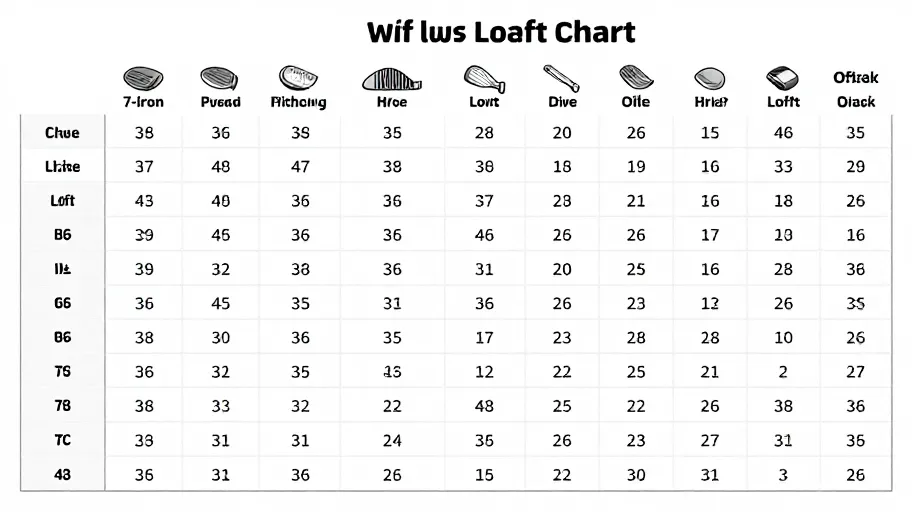
A golf club loft chart is only meaningful when it names the exact brand, family and model it describes. Loft values are specified club by club within a single model, not across a brand. For example, the official archived DCI Black specifications table lists each club separately, with a 7-iron loft of 36 degrees and a pitching-wedge loft of 48 degrees — values that apply to DCI Black irons, not to irons in general. Before you compare clubs or select a replacement or tuning component, confirm the exact model first, then read its own chart.
The Model-First Loft Check
Use this sequence every time you research a loft value or compare a candidate component against your existing club:
- Brand. Confirm the manufacturer of your club.
- Family. Confirm the product family the club belongs to.
- Model. Narrow to the exact model and, where relevant, the generation or year.
- Club. Identify the specific club — a 7-iron and a pitching wedge in the same set carry different lofts.
- Chart. Read the specification table for that model, club by club.
- Compare. Only now compare against a replacement or tuning component, and verify the component's own listed specifications for the exact product.
Skipping step 5 is the most common error. A loft chart sourced from one model cannot be projected onto another, even within the same brand or family.
Why loft charts are per model: the DCI Black example
The archived DCI Black specifications page illustrates the rule clearly. It does not publish one loft figure for the whole set or the whole brand. Instead, it lists each club separately. Two data points from that table:
| Club | Listed loft (DCI Black) |
|---|---|
| 7-iron | 36 degrees |
| Pitching wedge | 48 degrees |
These values apply to DCI Black, not to all irons. If you play a different model, these numbers are not your numbers. The correct question is not "what is a 7-iron's loft?" but "what is this model's 7-iron loft?" That distinction is exactly what a reliable golf club loft chart encodes — and what unlabelled charts omit.
Note also what a specification table does and does not tell you. It tells you the listed loft for a named club. It does not tell you whether a component you are considering will match that loft, suit your setup, or perform in a particular way. Those require product-specific confirmation.
Decision table: what to verify before comparing clubs or components
| Step | What to verify | Why it matters | If you can't confirm it |
|---|---|---|---|
| Brand | Manufacturer of your existing club | Component selection starts from brand context | Photograph and record all club markings |
| Family | Product family line | Families differ within a brand | Check head engravings or original purchase documentation |
| Model | Exact model and generation | Loft values are model-specific | Consult the manufacturer's archived specification pages where available |
| Club | The exact club in the set | Each club is listed separately | Count from the strongest or weakest club using the model's own chart |
| Listed loft | The loft printed in that model's chart | This is the baseline for any comparison | Do not borrow values from another model's chart |
| Component specs | The replacement or tuning part's listed specifications for the exact product | Claims must attach to the exact product and model | Ask the seller directly and document the answer |
Reading a specification table correctly
Three habits make loft-chart reading dependable:
- Read row by row, not set by set. A trustworthy table lists each club on its own line, as the archived DCI Black table does. If a source gives a single figure for "the irons," treat it as unreliable for your purposes.
- Anchor with two known clubs. Identify two clubs you can confirm physically, locate them in the chart, and check the rest of the table aligns sensibly with your set's ordering.
- Record what you verified. Note the model, the club, the loft value and the source page. When you later compare components, that documented baseline is what protects you from a mismatch.
Questions to approve before choosing a component
Answer each question before you select a replacement or tuning part. Treat any unanswered item as an open risk, not a formality:
- Can you state your club's brand, family and model exactly, as printed or engraved on the club?
- Have you located a specification table for that exact model — not a similar model or a different generation?
- Does that table list your specific club individually, and does the listed loft match your reading of the chart?
- Does the candidate component's product page state specifications for that exact product and model?
- Have you confirmed directly with DIY-Golf that the component you're considering applies to your club's brand, family and model, using the on-site fitment selector?
- Are there any commercial terms — stock, price, shipping, returns — you still need to confirm directly rather than assume?
Question 5 is the practical centre of the whole exercise: a chart you read correctly is only useful if the component you choose is matched to the same model.
Primary CTA: Use the DIY-Golf on-site fitment selector and verify the club brand, family and model before choosing a component. Take two minutes with your club in hand, enter what you can confirm, and compare only components whose listed specifications attach to that exact model.
FAQ
Does a 7-iron loft of 36 degrees apply to every iron set? No. That value comes from the official archived DCI Black specifications table and applies to DCI Black, not to all irons. Every model lists its own values, club by club.
Why do loft charts list each club separately? Because each club in a set is specified individually. The DCI Black table, for instance, lists a 7-iron at 36 degrees and a pitching wedge at 48 degrees within the same model. A single set-wide figure would hide those differences.
Can I use one brand's loft chart to check another brand's clubs? No. Loft values are model-specific. Use the specification table for the exact brand, family and model you own, and verify each club on its own row.
How do I confirm which model my club is before using a loft chart? Check the markings on the club head, any original documentation, and the manufacturer's archived specification pages. If you cannot confirm the model, do not proceed with a component comparison until you have identified it — the fitment selector is designed to walk you through brand, family and model.
Does knowing the loft tell me whether a component will fit my club? No. A listed loft is a specification of a named club. Whether a replacement or tuning component applies to your exact model is a separate question that must be confirmed for the exact product — start with the fitment selector and confirm directly with DIY-Golf.
Before you compare anything, tick this list
- Brand confirmed from the club itself
- Family confirmed
- Exact model and generation confirmed
- Specification table located for that exact model
- Your specific club's loft read from its own row
- Candidate component's listed specifications checked for the exact product
- Fitment selector used and brand, family and model verified
- Any remaining commercial terms flagged for direct confirmation with DIY-Golf
Print or copy this list. If any box is unticked, resolve it before choosing a component — it takes less time than undoing a mismatched selection.
Master Your Swing, DIY Your Fit. DIY Golf is the premier destination for the technical golfer. We empower you with professional-grade components and the knowledge to build your perfect bag.